Background
In the previous post (#6: Issue Analysis — Where do we add bitfield_ro?), we analyzed where the change should land and concluded that bitfield_ro belongs in simpleCommands(). In this post, we will redeploy the Envoy binary with that change into the Minikube cluster we set up in week_5 and confirm that the new command works end-to-end.
Preparation
The deployment flow is similar to week_5: copy the locally built envoy-static into the custom/ directory of the qerogram-example-envoy-redis repository and apply the prepared Kubernetes manifests.
First, copy the binary from the build container to the host.
If you do not remember how to obtain
envoy-static, refer to the Envoy Proxy Build Guide.
1
2
$ cd ~/Desktop/cncf/ $ docker cp b8edaacc488a91072db4559673819dad785795ba3dd9dc5f47ee5c848454abd2:/source/source/bazel-bin/source/exe/envoy-static .
The Dockerfile inside custom/ packages the binary we built into a container image. In other words, you can think of it as overwriting the official Envoy image with our own binary.
Tip: Images built with
docker buildare stored in the host’s Docker daemon. Since Minikube uses its own Docker daemon, you must point the terminal’s Docker context at Minikube before building — otherwisekubectl apply -fwill fail withImagePullBackOff.
1eval $(minikube docker-env)See the infrastructure setup section of week_4 for the background.
Once you are ready, run the following commands in order. First, delete the existing Envoy resources and remove the previously built Docker image.
| |
Redeploying the image
After the cleanup, rebuild the container image and re-apply the Kubernetes manifests.
| |
Note:
envoy-k8s.yamlalready referencescustom-envoy:v1instead ofenvoyproxy/envoy:v1.38-latest, so you do not need to change the image name separately.
Once the pods are running, open two terminals and start port-forwarding again.
| |
Before redeploying the new binary, the bitfield_ro command still fails when sent through Envoy.
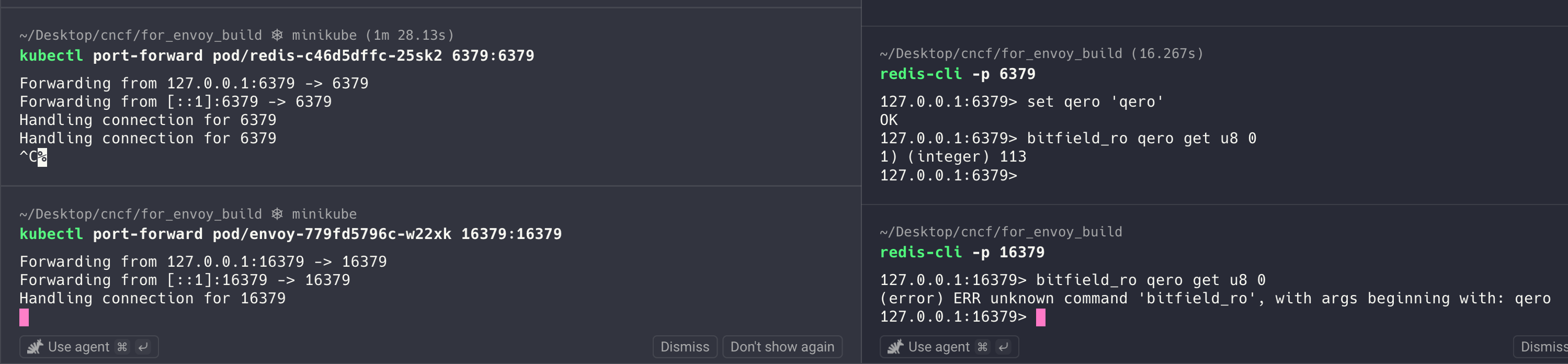
| |
After redeploying the binary with the change, the command works as expected:

Coverage test
We can confirm that bitfield_ro is now recognized and forwarded correctly. Because the change only adds the command to simpleCommands(), the existing command-splitter test already exercises this registration path, so no separate test is needed.
Before wrapping up today’s post, let us also check whether the change meets the project’s coverage requirement.
Return to the container used to build Envoy, then run the command below. It reports how much of the source code is covered by the current tests.
Side note: running the coverage test can invalidate the Bazel cache, so subsequent builds may take a bit longer.
| |
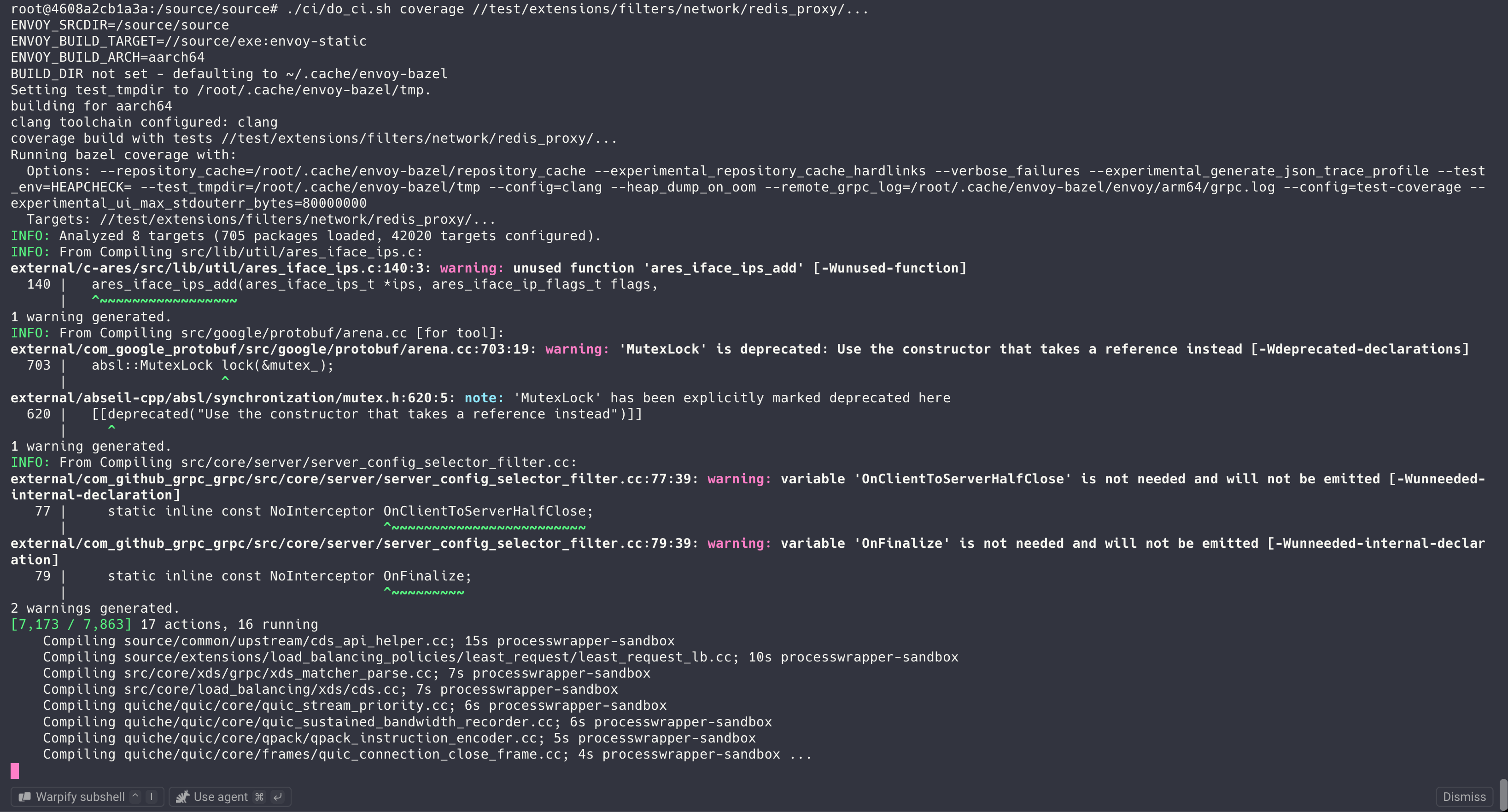
You should see output like the image below. For Redis Proxy, the maintainers require coverage above 96.6%. If coverage falls below that threshold, the PR’s CI check will fail, so you will need to add tests or make other changes to raise coverage before merging.
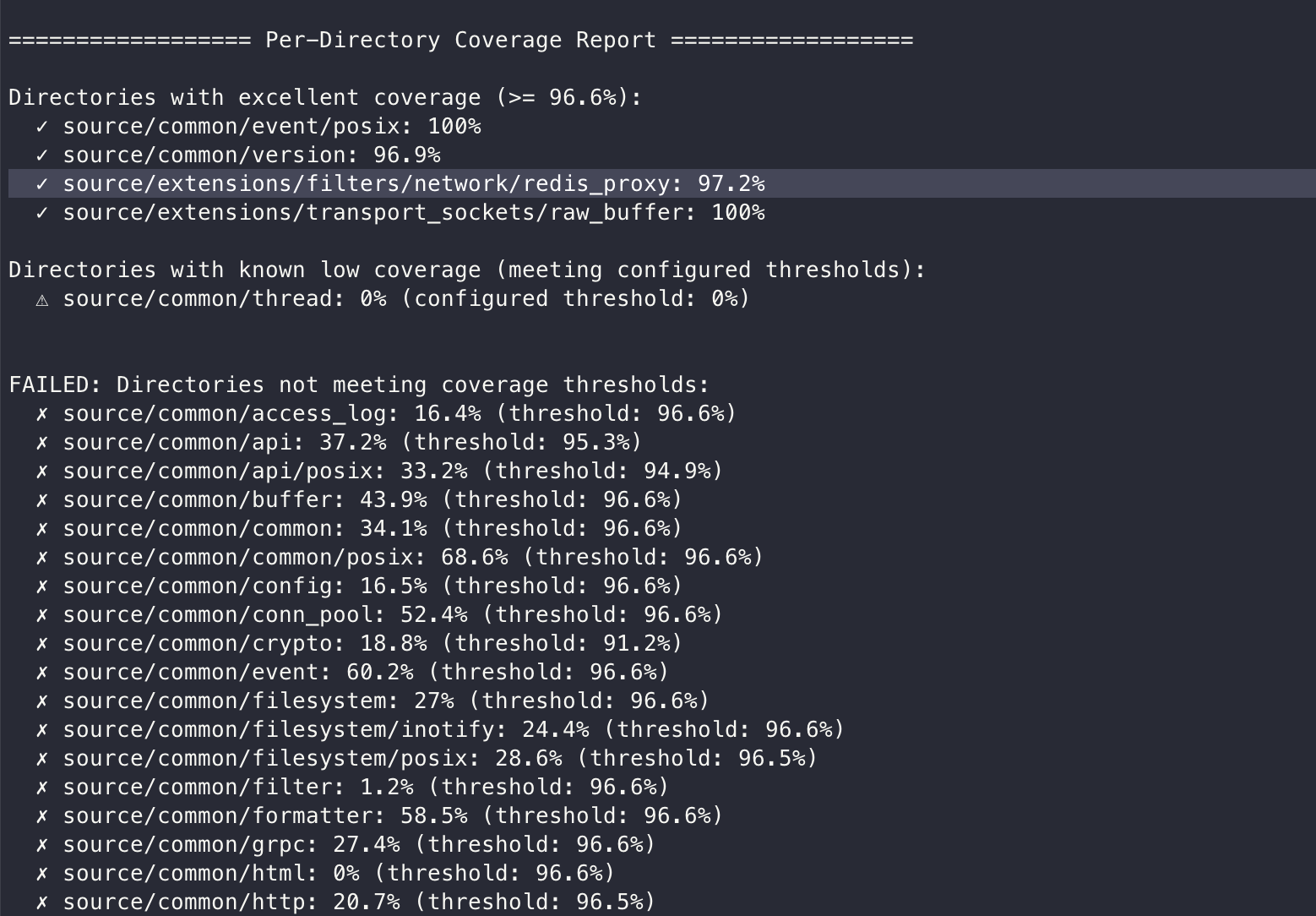
Our result is 97.2%, so the coverage requirement is met.
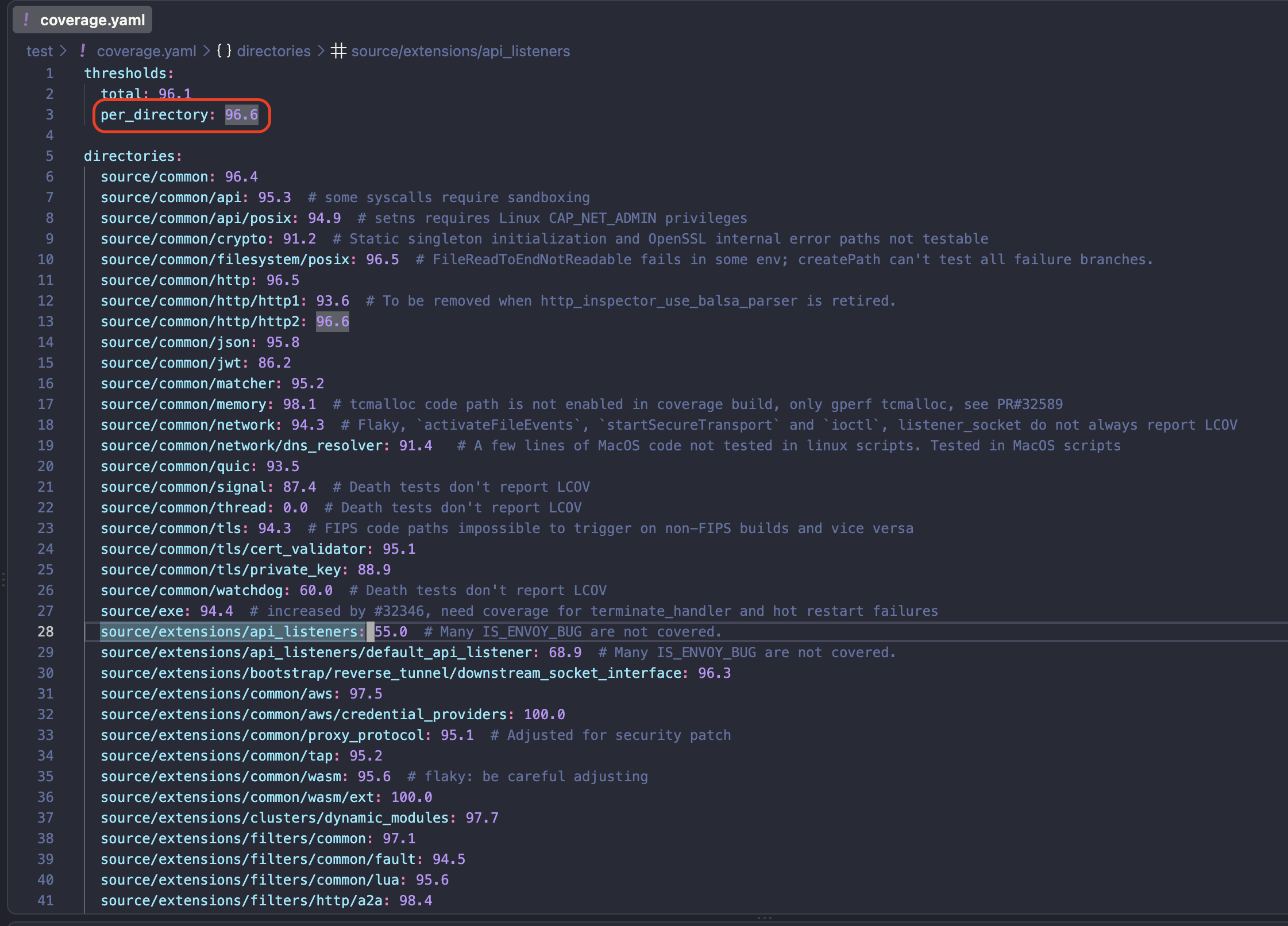
The coverage threshold is defined in test/coverage.yaml. If your filter has no specific threshold, the default target is 96.6%.
At this point, you can package your custom Envoy in a container image and publish it to a private container registry for internal or personal use.
Next post preview
Starting in the next post, we will walk through the process of submitting a Pull Request. Once the change is merged upstream, you will no longer need a private registry; you can use the official upstream release instead.
fin.